What you will build
A person who reads one comparison may still be deciding what they need. Email gives you a way to help them work through that decision over time. The starting point is a useful resource and a clear invitation to hear from you, followed by recommendations that match the reader’s needs.
Our fictional example is a sewing publisher helping beginners buy a first machine for simple clothing repairs. A short buying checklist helps the reader identify the features they need before they visit any merchant. It can also be useful to someone who decides not to buy yet.
Step 1. Choose a resource people can use
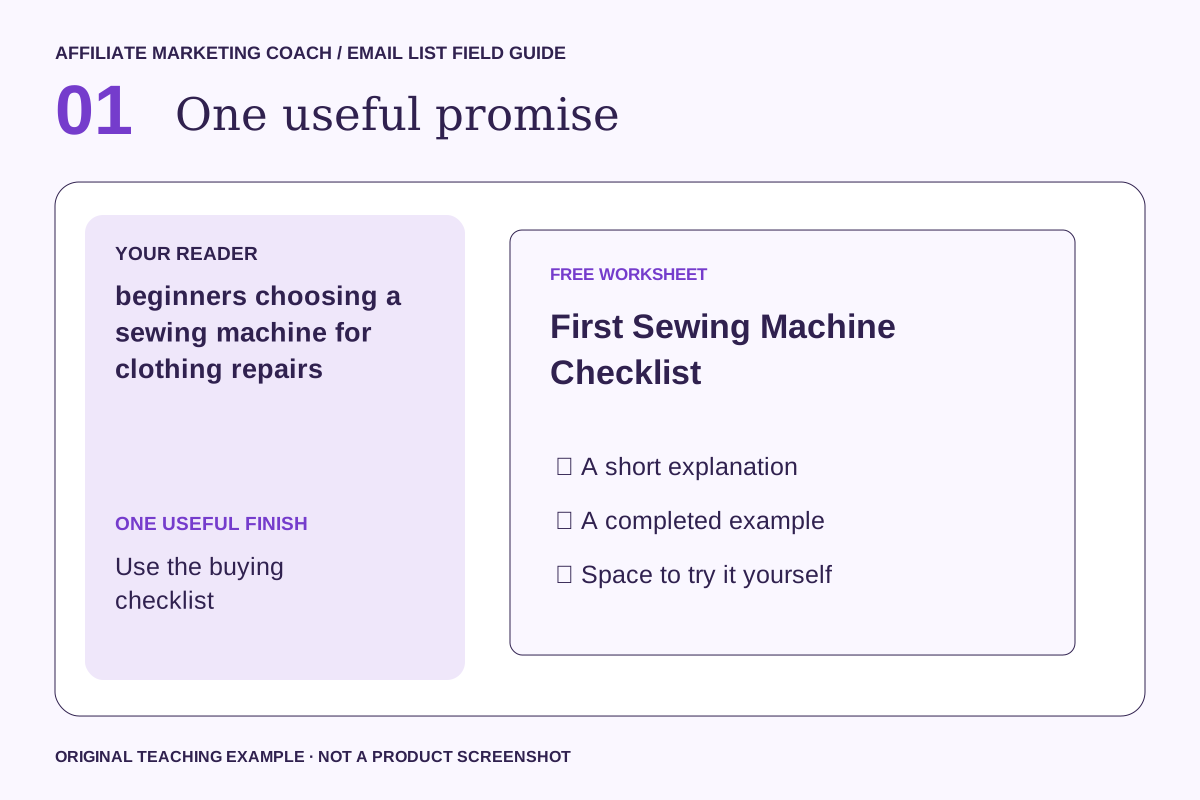
Build the checklist around decisions: intended projects, available space, essential functions, ongoing supplies and what to check in the return policy. Include an option to use or repair existing equipment. A generic giveaway can attract subscribers who have no interest in your actual subject.
Do this: write “For [reader], this resource helps with [specific task], so they can [useful next action].” Keep the promise narrow enough to fulfill immediately. If you choose a quiz or scorecard, make each answer change the result in a meaningful way.
Done when: a person can explain what the resource helps them do after reading its title and short description.
Step 2. Build a clear signup page
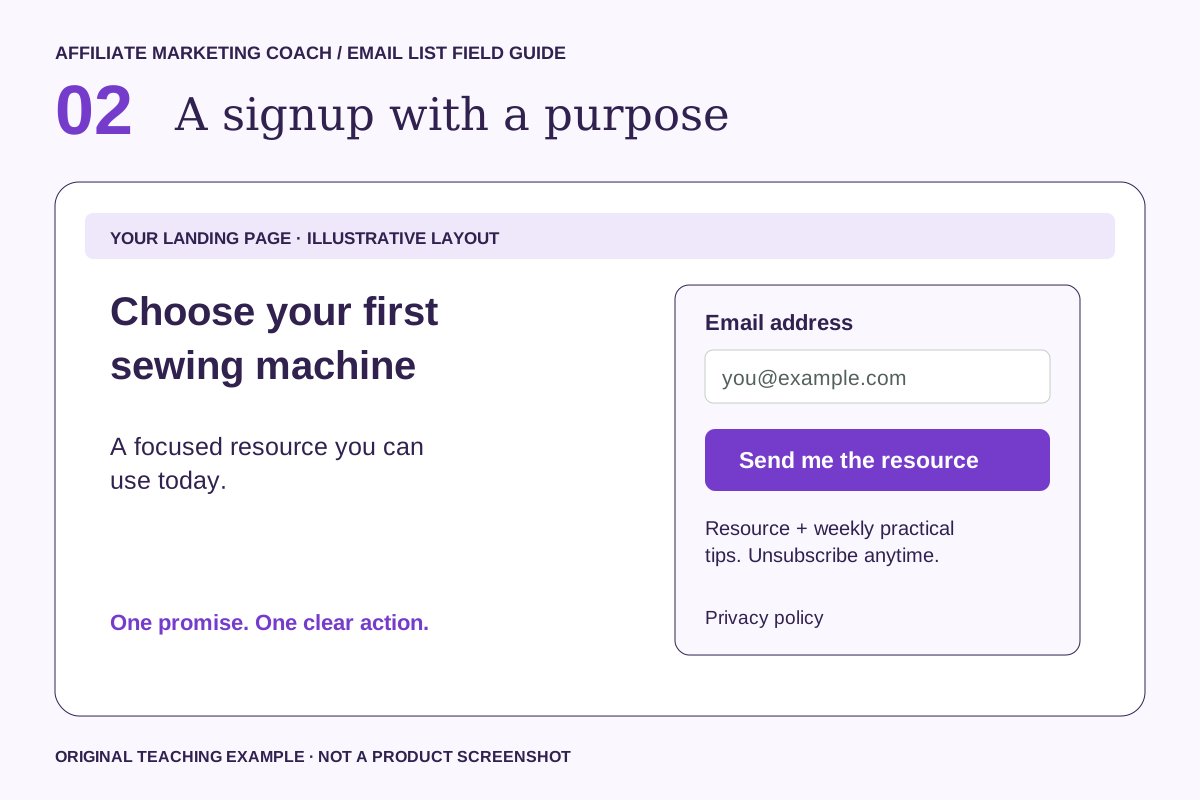
Lead with the useful finish: Choose your first sewing machine. Show a preview, explain what arrives and ask for the minimum information needed to deliver it. Start with email; make a first name optional. Add a question only when its answer changes the experience.
For this example, you could ask “What do you want to make?” and offer Everyday repairs, Simple clothes, Home projects. A plain form is enough if you will deliver the same resource to everyone. A quiz adds value when you have genuinely different advice for different answers.
Get the First Sewing Machine Checklist and one practical email each week. Unsubscribe anytime.
That is sample copy: adapt the frequency, sender and resource to what you will actually provide. Link the privacy notice beside the form. If the download and future marketing are separate choices, make that separation explicit.
Done when: the page works on a phone, labels are readable, errors explain what to fix and the button describes the next action.
Step 3. Connect permission and confirmation
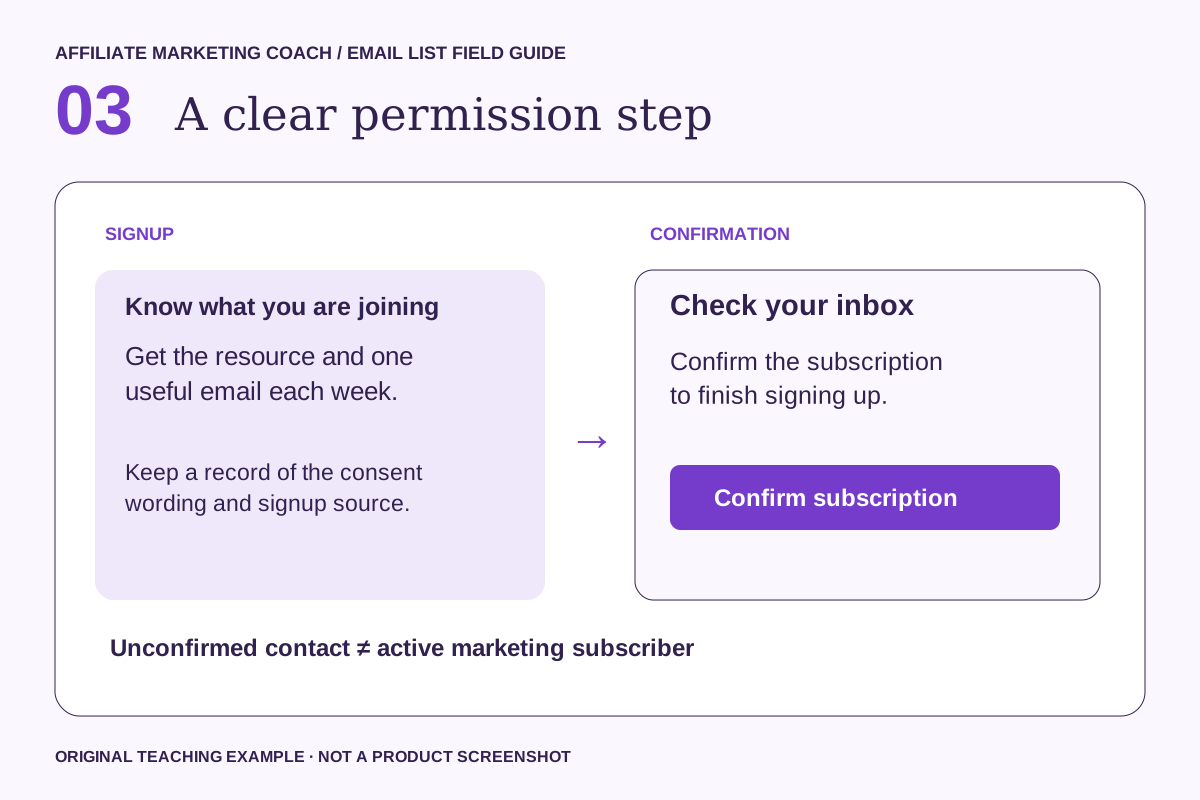
Connect the form to a named group or segment in your email platform. Keep the signup source, time and permission wording with the record. Use people’s voluntary subscriptions as the basis for this workflow; do not buy or scrape a list.
With double opt-in, a person submits the form and then confirms by email. In MailerLite, check the form’s double opt-in setting; API and integration signups have a separate setting. Test the actual route you use. The confirmation email and thank-you page should tell the reader what happens next.
Confirmation shows that someone can access the inbox. It does not by itself establish product fit or broader permission. Check your platform’s sender and domain setup before sending the sequence.
Done when: an unconfirmed test contact stays out of marketing sends, a confirmed contact enters the intended sequence, and a repeat signup does not create unwanted duplicate messages.
Step 4. Deliver the promised resource
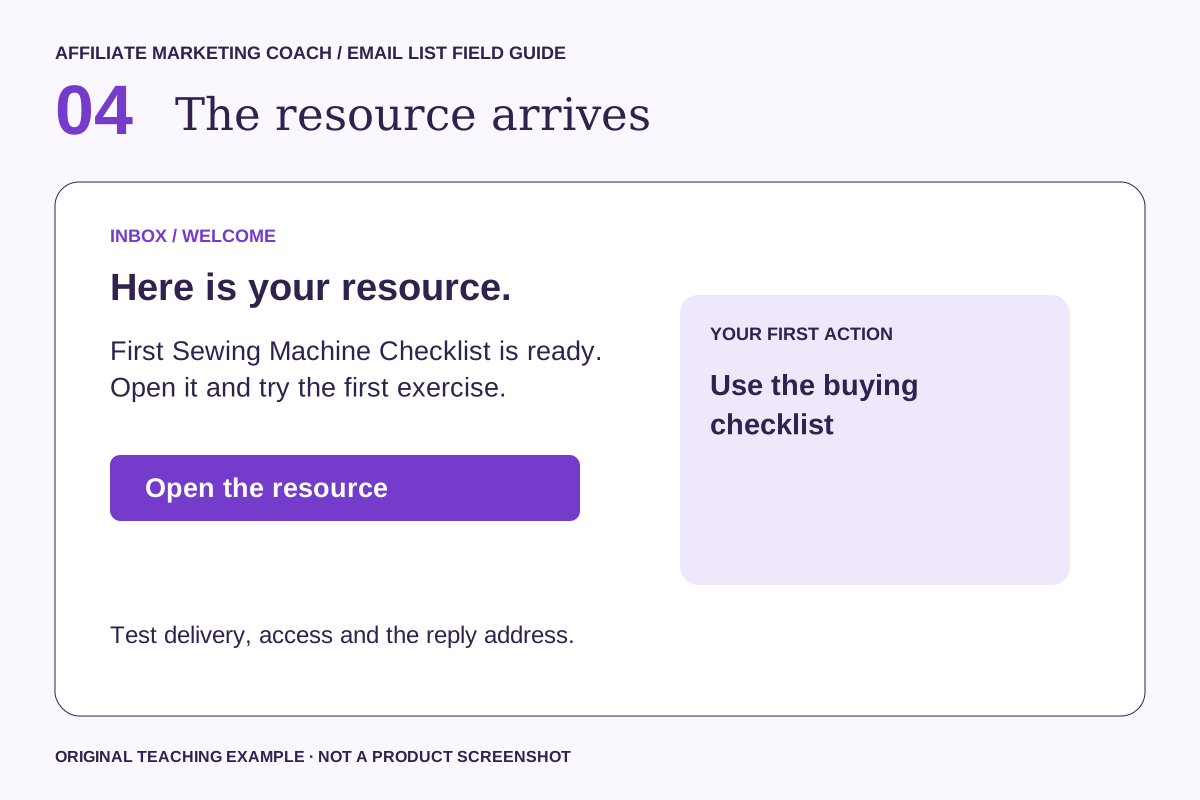
Put the checklist link first in the delivery message. Show a completed example using a fictional reader’s needs, without inventing personal product experience. Explain how to compare official specifications and where hands-on testing would still be useful.
Use a direct, descriptive resource link and a reply address someone monitors. Show a useful thank-you page, with an explanation if confirmation is still required. Test access in a private browser window so you do not accidentally link to an owner-only file.
Example opening: “Here is your First Sewing Machine Checklist. Start with the first exercise and use the buying checklist. If anything is unclear, reply and tell me where you got stuck.”
Done when: a test subscriber can open the correct resource on a phone without requesting access or paying an unexpected fee.
Step 5. Write three helpful welcome emails
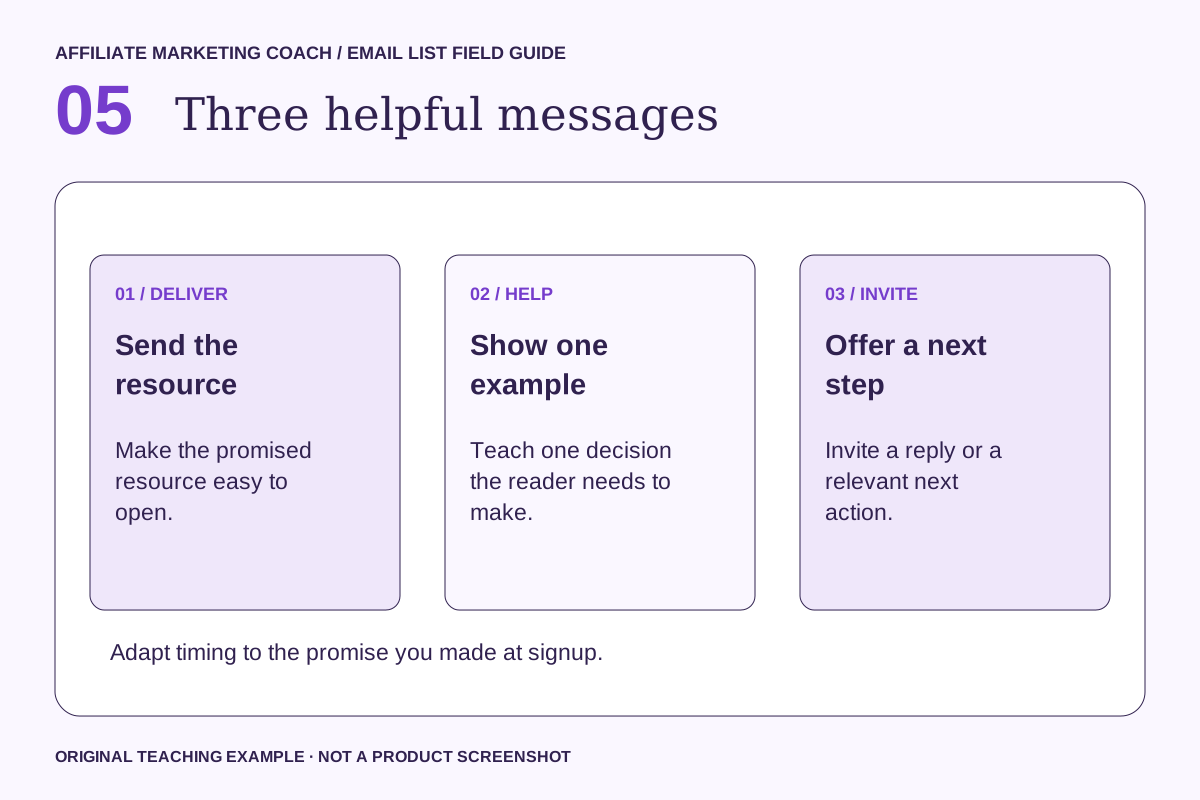
Email one delivers the checklist. Email two explains one buying tradeoff. Email three links to your detailed comparison and explains who each option suits. Disclose a commission relationship clearly near the recommendation; check each program’s rules before putting affiliate links directly in email. Use only approved links and permitted placements.
| Message | Suggested subject | One main action |
|---|---|---|
| 1. Delivery | Your First Sewing Machine Checklist | Open the resource |
| 2. Useful example | Try this before your next step | Complete one exercise |
| 3. Invitation | What would help you move forward? | Reply or explore a relevant offer |
Send the delivery promptly after the required confirmation. Spacing the later emails a day or two apart is a starting hypothesis, not a universal rule. Match the expectation you set and stop the sequence when someone unsubscribes.
For US commercial email, use accurate sender and subject information, a valid postal address and an easy unsubscribe. Honor opt-outs within ten business days. Check requirements for the locations and audiences you serve. FTC guidance.
Done when: each message has one useful purpose, truthful claims, working links and a tested opt-out.
Step 6. Measure progress and improve one step
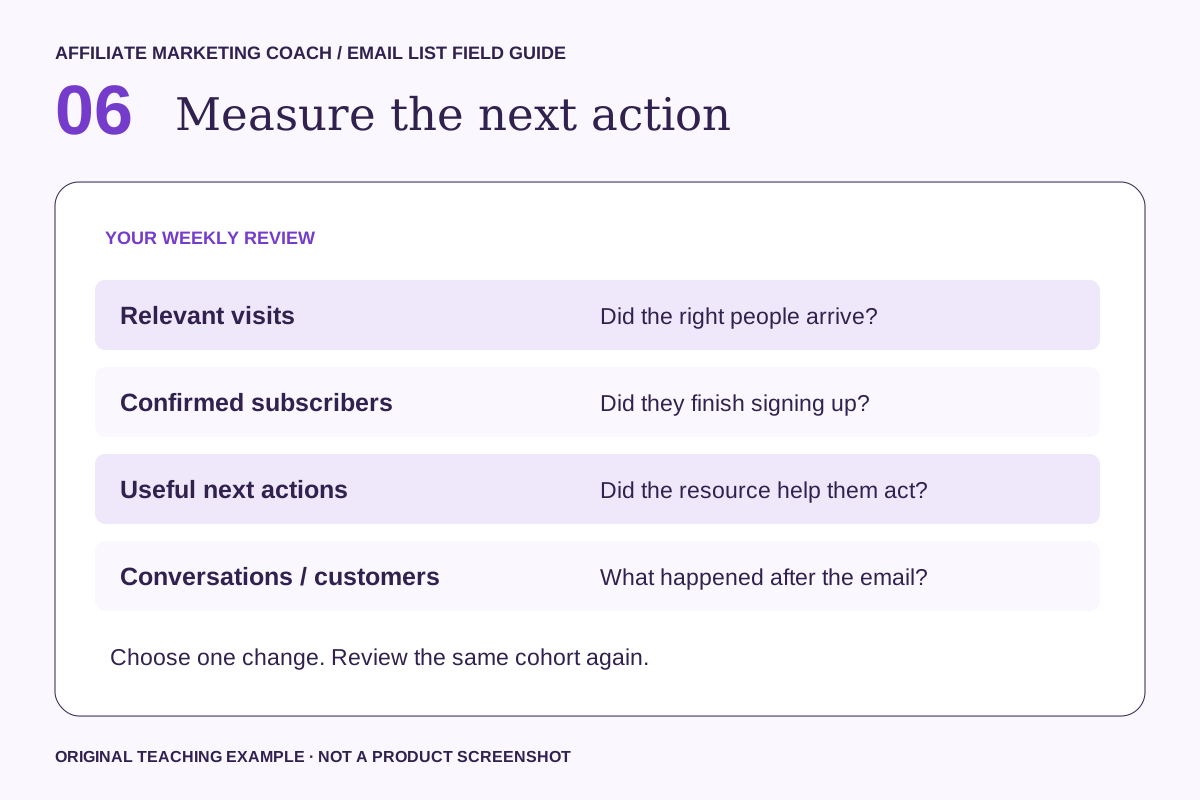
Measure confirmed subscribers, meaningful clicks to your comparison, merchant-reported actions, approved commission and cash received separately. A pending commission can change. Review time and costs alongside revenue; list size alone cannot tell you whether the work is paying off.
For one consistent time period, calculate confirmed signup rate = confirmed new subscribers ÷ relevant landing-page visits × 100. Decide how you count visits and exclude your own tests. If you cannot observe a stage, label it unknown rather than zero.
A fictional example: 100 measured visits and 8 confirmed subscribers produce an 8% signup rate. That is arithmetic, not an expected result. If only five visitors arrived, you probably need more evidence before choosing between two page designs.
Diagnose in order. No visits: review distribution. Visits without signups: review audience and promise. Signups without confirmation: check the confirmation journey. Confirmed subscribers without action: check delivery and relevance. Change one thing, record it and review again.
Use AI to draft the first version
Give your assistant the actual audience, resource and offer. Use the result as a draft and remove anything you cannot substantiate. Use fictional examples instead of pasting subscriber details into a general-purpose prompt.
Act as a practical email editor.
Audience: beginners choosing a sewing machine for clothing repairs.
Resource: First Sewing Machine Checklist.
First useful action: use the buying checklist.
Draft a landing-page headline, two benefit bullets, clear signup wording and three short welcome emails. Give each email one action. Do not invent testimonials, results, urgency, product experience or a live offer. Mark missing facts as [CHECK]. Include a review checklist for links, promise accuracy and unsubscribe behavior.
Choose the simplest setup that supports the journey
Use an email platform’s own form when one resource and one audience are enough. An interactive funnel builder such as involve.me is an option when a quiz or scorecard should change what someone receives. Its product page illustrates that approach; this guide’s examples and diagrams are original.
Check the current plan’s integration, confirmation, automation and export features before paying. This guide does not require a new subscription. Connect the tools you already use when they can support the complete journey reliably.
Your launch checklist
- The resource delivers the promise shown on the page.
- The signup wording names the sender, content and expected frequency.
- The form, error messages and confirmation work on mobile.
- The delivery link is accessible without an owner login.
- The welcome sequence handles new, repeat and unsubscribed contacts correctly.
- Commercial recommendations and any commission relationships are clear.
- One person owns replies and one review date is set.
Make the next step small
Choose one buying question and write the checklist. Publish one supporting comparison, test every link, and send the first sequence only to people who signed up for it. Improve the weakest step before adding more products.